✨Learn how to make GPX Viewer truly yours with customizable settings 🎨 and explore the differences between GPX Viewer and GPX Viewer PRO to find your perfect match.
Customize GPX Viewer apps to suit your preferences
GPX Viewer offers flexible settings to help you adjust the app’s interface.⚙️✨ Here are a few useful options you’ll find in the main menu - Settings - User interface:
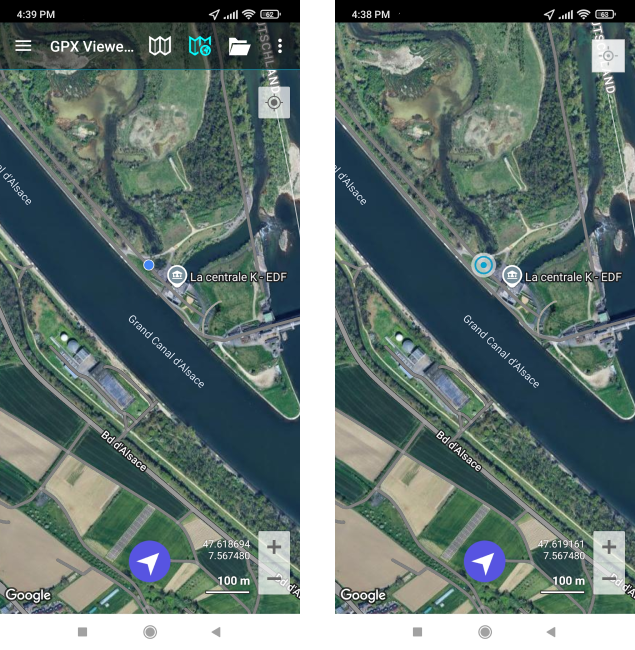
🚩 Highlight your location: Need your current location to stand out on the map? Enable Show bigger location icon for better visibility.
🗺️ Get more map space: Prefer a cleaner screen? Hide the toolbar by turning off Show application toolbar option. You’ll be able to access the menu by swiping right.
🔄 Zoom with volume buttons: Did you know you can use your volume buttons to zoom in and out on the map? Try this feature by enabling Volume buttons as zoom.
Explore these and other options in the main menu - Settings - User interface to make GPX Viewer
work just the way you like.
Download GPX Viewer PRO, synchronize it with your Trackbook
account and take your trails with you on every adventure.
Want to share your experience with GPX Viewer or GPX Viewer PRO?🌲 Send a short story with photos to support@vecturagames.com. The best stories will be featured on our blog and social media 🏞️ Inspire others with your adventures 📸