✨Learn how to share and explore public tracks on Trackbook 🗺️ and get inspired by Europe’s breathtaking hiking trails. 🌄
Discover public tracks on Trackbook
Curious if someone already added tracks in your area? 🌍 Or want to share your tracks to inspire others? Check out Trackbook’s public tracks feature.
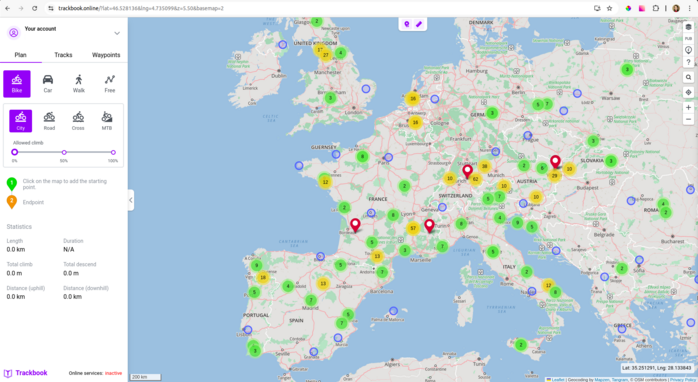
View Trackbook public tracks: activate the PUB button in the top-right corner of the screen to view shared tracks from other users.
Mark your track as public: Have a great track to share? Open your track list and click Edit track button next to the track, in the opened window mark your track as public and save your choice. Now other Trackbook users can see your track on the map.
Download GPX Viewer PRO, synchronize it with your Trackbook
account and take your trails with you on every adventure.
Want to share your experience with GPX Viewer or GPX Viewer PRO?🌲 Send a short story with photos to support@vecturagames.com. The best stories will be featured on our blog and social media 🏞️ Inspire others with your adventures 📸